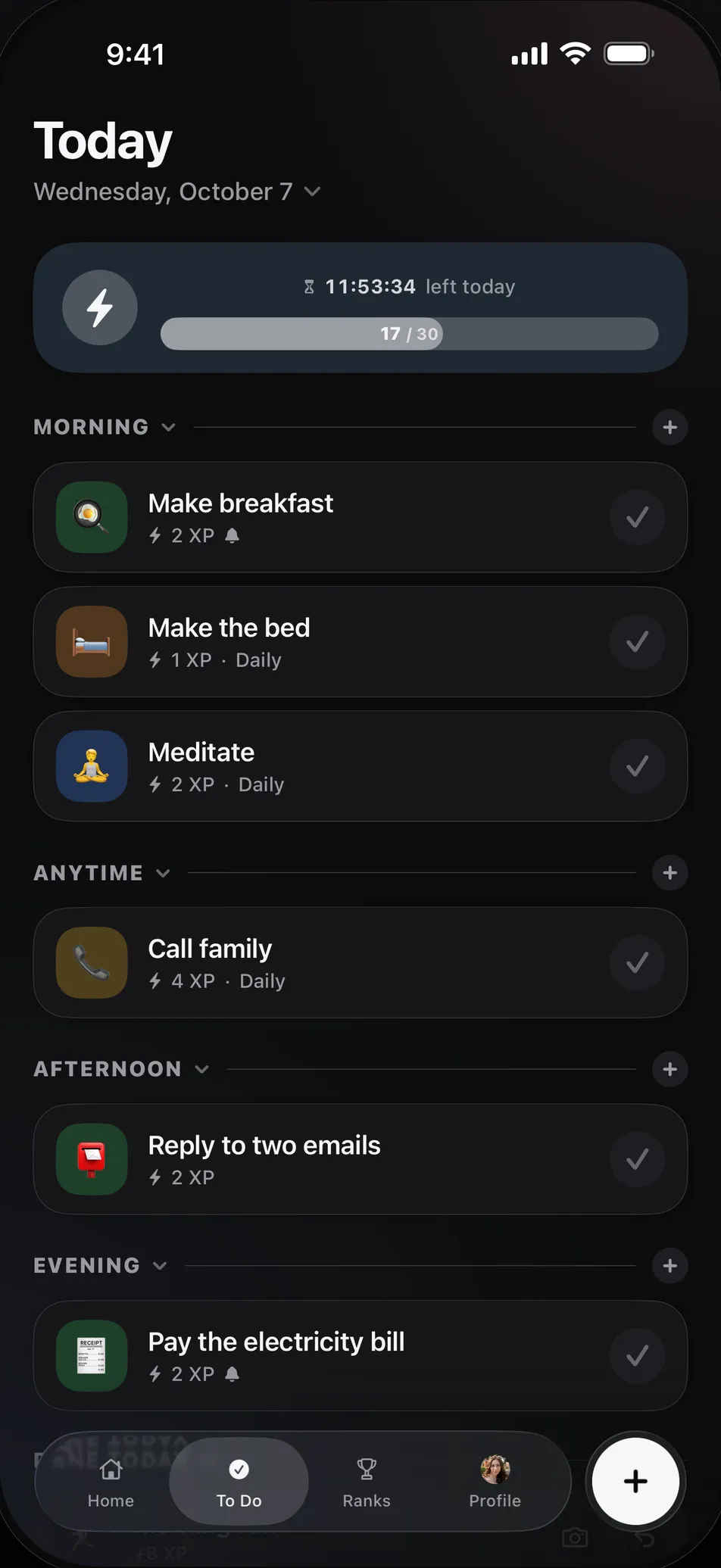
What people ask of a to-do app
Round-ups like ADDitude's and the forum threads people trade app names in keep returning to the same few requests. No two people need the same thing, so treat this as a checklist rather than a verdict.
| What people ask for | In Kudos |
|---|---|
| Getting a task down in seconds | Yes. Type a title and Kudos works out its size and area |
| Something that happens the moment you finish | Yes. XP lands on the day's bar as you tick |
| No pile of guilt from yesterday | Yes. Unfinished tasks stay on their own day, so you move the ones you still want |
| A prompt at the right time | Yes. A task can carry a reminder, and friends can send a nudge |
| Other people around | Partly. Friends see what you finish, but nobody works beside you live |
| Big tasks broken into steps | No. You do that by hand |
| Time you can see | No. The board sorts tasks by part of the day, not onto a timeline |
| A focus timer | No |
Where it may help
A plain list only rewards you by getting shorter. Kudos answers every tick straight away, with XP on the day's bar, and a friend's kudos may follow. Small things count: taking your tablets or replying to a text is a Moment, worth 1 XP, so a day made of small things still shows up as a day that happened.
There's also nothing to build. You don't design a system or sort anything into folders, because Kudos reads the size and the area from the title. If you've ever spent an evening setting up the perfect app and never opened it again, that's the part worth trying.
And a streak here counts the days you open the app, so one bad day of work doesn't end it. When a streak does end, you pick a small number of days and start again.
Where it won't
Kudos can't show you how long things take, split a task up for you, or sit with you while you work. The novelty of any score can also wear off. If that happens, it's a fact about the app and not about you.
| If you need | Look at |
|---|---|
| To see your day on a timeline | A visual planner such as Tiimo or Structured |
| A big task split into small steps | Goblin Tools |
| Somebody working alongside you | Focusmate, which pairs you with a person on video |
| A timer that makes leaving cost something | Forest |
| Your real tasks scored, with friends beside you | Kudos |
If you try it
- Put three things on today, not thirty. Why tiny wins beat perfect plans goes into how small to go.
- Turn what you keep forgetting into a routine, with a reminder.
- Ask one friend to follow you, because one person who would notice is the whole point.
- Mark anything personal as Private. Other people see "Private Task" instead of its title, and it still earns XP.
A note on health
Nothing on this page is medical advice, and no app replaces care from a clinician. For information about ADHD itself, CHADD is a good place to start.
Common questions
- What is the best to-do list app for ADHD?
- There isn't one that suits everybody, because people struggle with different parts of the job. If time is the problem, try a visual planner like Tiimo or Structured. If starting is the problem, Goblin Tools breaks tasks down. If plain lists stop holding your interest, an app that scores your tasks, like Kudos, is worth a try.
- Is Kudos made for ADHD?
- No. It's a general to-do list, it makes no medical claims, and nobody should treat it as a therapy. Some of how it works lines up with what people ask of an ADHD app, and some of it doesn't.
- Does Kudos have reminders?
- Yes. You can set a reminder on a task, and there's an evening reminder you can turn on in Settings.
- What happens to tasks I don't finish?
- They stay on the day they were set, rather than piling up on today. You can move any of them to another day, and nothing takes XP away.
- Will other people see everything on my list?
- You decide. In Settings you choose who can see your profile and your activity, and any single task can be marked Private, so people see "Private Task" instead of its title.
- Is Kudos free?
- Yes. Kudos is free on iPhone and Android, there is nothing to buy inside the app, and you can start without an account.