Who should switch, and who shouldn't
If you run projects with labels, filters and shared boards, stay on Todoist, or look at TickTick, which costs less. Kudos won't replace that and isn't trying to.
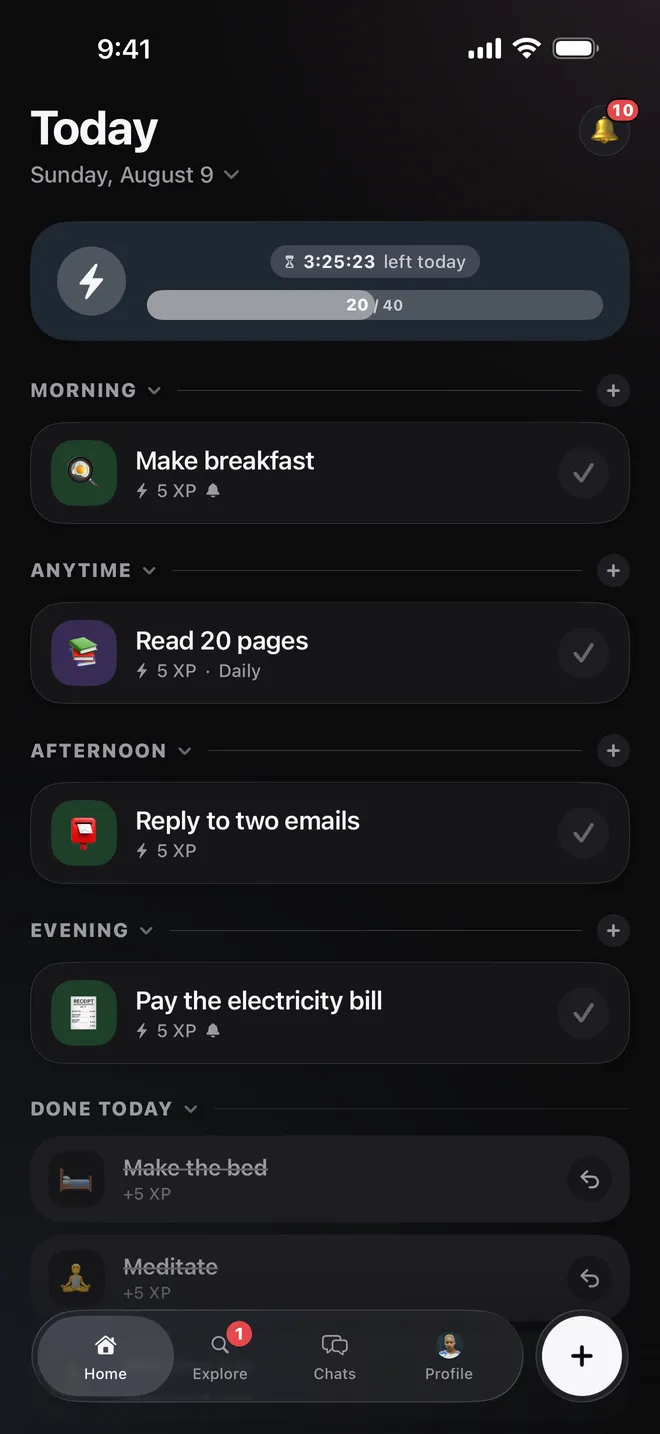
Kudos suits a different problem. The list is fine, the tasks are written down, and they still don't get done. What it adds is a reason to finish the thing today, and somebody who will notice if you do.
Todoist and Kudos side by side
| Feature | Todoist | Kudos |
|---|---|---|
| Price | Free plan, or Pro at $7 a month or $60 a year | Free, with nothing to buy inside the app |
| Free plan limit | 5 projects, 300 tasks in each | No limit on tasks |
| Organised by | Projects, labels, filters and priorities | Day, and part of the day |
| Repeating tasks | Yes | Yes |
| Reminders | Yes | Yes |
| Score | Karma points for finishing tasks and using the app's features | XP for each task, set by its size |
| Streak | Days or weeks you hit a goal, back to zero if you miss | Days you open the app |
| Other people | Shared projects and assigned tasks | Followers, groups, chat and weekly rankings |
| Platforms | iPhone, Android, web and desktop | iPhone, iPad and Android |
Todoist's figures are from its pricing and help pages, read in October 2026. Check them before you buy.
Todoist already has a score
Karma gives you points for finishing tasks and for using features like labels and reminders. You lose points when tasks sit five or more days overdue, and a missed goal puts your streak back to zero.
Kudos scores one thing: what you finished, at a price set by the size of the task. A 20-minute walk pays 4 XP, a gym session pays 8, and the sizes run from 1 to 32. Running late takes nothing away, and a streak only asks you to turn up. The other difference is who's watching, because XP is what you and your friends race on each week.
What you would give up
We make Kudos, and it does a good deal less than Todoist. Be sure you can live without these.
- Projects, sections, labels and filters. Kudos has a board for each day, and that is the whole structure.
- Subtasks. A task is one row, with a note if you need one.
- A web or desktop app. Kudos lives on your iPhone, iPad or Android phone.
- Integrations. It doesn't connect to your calendar, email or Slack.
- Assigning a task to somebody else.
- An import. There is no way to bring your Todoist tasks across.
Try it without moving house
You don't have to leave Todoist to find out. Install Kudos, skip the account, and put only today's tasks on it for a week. If you find you're doing them, move the rest over. If you miss your projects, you've lost nothing.
Common questions
- What is the best alternative to Todoist?
- It depends on why you're leaving. For the same kind of app at a lower price, TickTick is the usual answer. For a simpler list with a score and friends beside it, try Kudos.
- Can I import my tasks from Todoist?
- No. Kudos has no import, so start with what you're doing this week.
- Does Kudos have projects or labels?
- No. Tasks sit on a day and in a part of that day. Every task also belongs to a Life Area such as Work or Home, which Kudos reads from the title, but you can't build folders of your own.
- Does Kudos have a web or desktop app?
- No. It's on iPhone, iPad and Android only.
- Can I share tasks with somebody?
- Not the way a shared project works, and you can't assign a task to anyone. People who follow you see what you finish. If a shared list is what you need, we compared the options for couples.
- Is Kudos free?
- Yes. Kudos is free on iPhone and Android, there is nothing to buy inside the app, and you can start without an account.