How accountability works in Kudos
Kudos starts as an ordinary to-do list: you add what you're doing today and tick it off. The difference is what happens to the tick. A finished task appears on the Home feed of the people who follow you, and they can send you a kudos, one tap of applause, right there.
It runs both ways. Home shows you what the people you follow finished, so you can see who turned up today without having to ask them.
- Follow the people you want to keep pace with.
- Add a photo or a caption to a finished task when there's something worth showing.
- Send a kudos when somebody gets something done.
- Send a nudge when somebody has gone quiet. There's a cooldown, so nobody gets buried in them.
Accountability groups
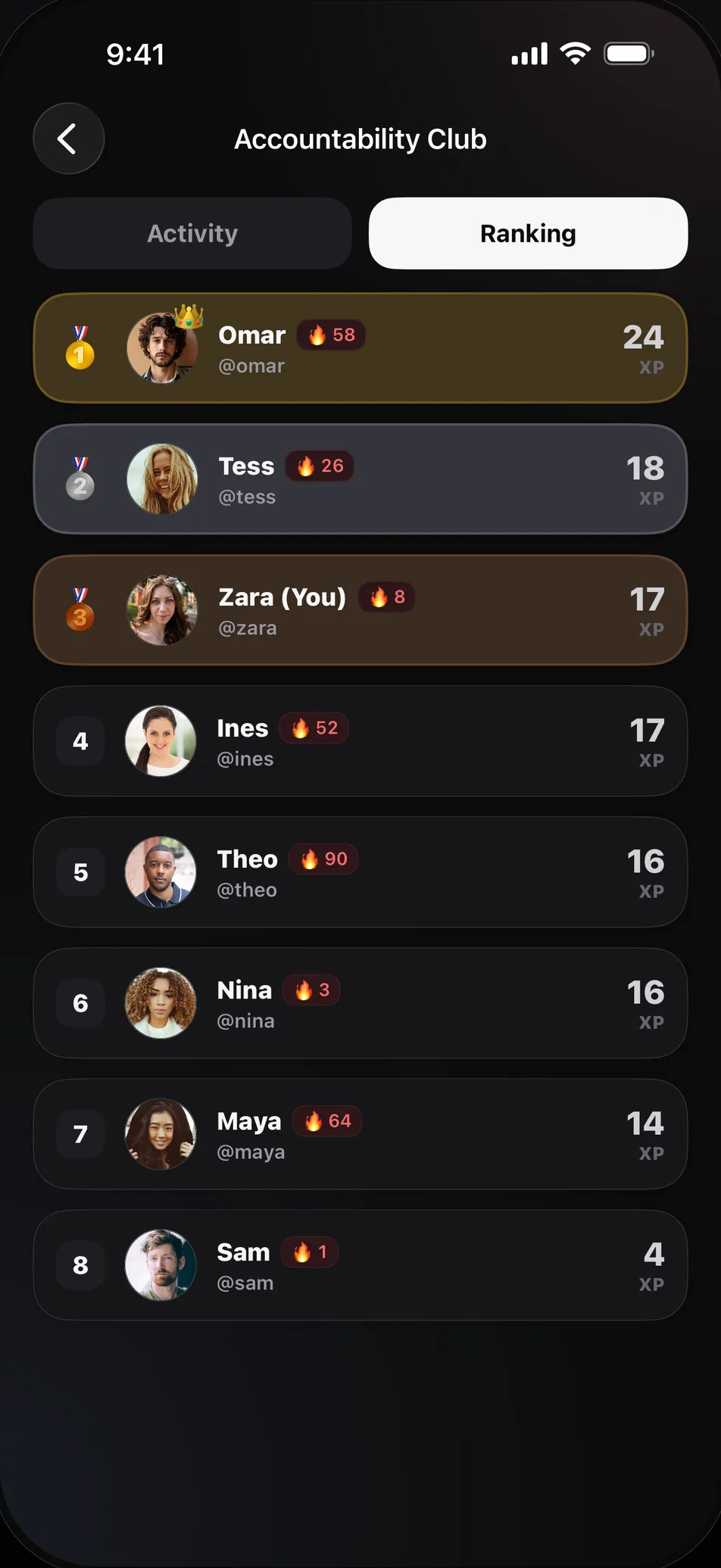
A group is a shared room of up to 50 people with a chat, a feed of what its members have finished, and a ranking for the week. Make one for a gym crew, a study group, or a few friends working toward the same thing, then share the invite link.
The ranking does the quiet work. Everybody in the group is on it from Monday, zeroes included, so you can see exactly where you stand and how little it would take to move up. Nobody has to send the awkward "did you do it?" message, because the answer is already on the page.
Kudos is on iPhone and Android, so a group doesn't have to agree on a phone first. How to run an accountability group that lasts covers the part an app can't do for you.
One partner or a whole group
You don't need a group. One friend who follows you back is an accountability partner, and for plenty of goals that is the better setup. What an accountability partner is actually for covers what a good one does.
If you're still deciding how to do this, our comparison of accountability partner apps sorts the options by who is on the other end.
What other people can and can't see
Being accountable shouldn't mean publishing your whole life. In Settings you choose who can see your profile and your activity, and you can stop sharing completions to the feed altogether.
- Mark a task Private and other people see "Private Task" instead of its title. Its XP still counts.
- Keep your activity to yourself, and any group you join still ranks you on the week.
- Leave the Global ranking with one switch. Friends and group rankings keep counting you.
- Block or report anybody from their profile.
Start in three steps
Download Kudos and add what you want to get done today. You don't need an account for that part.
Create an account and pick a username, so that people can find you.
Follow a friend, or make a group and share its link. From there, your finished tasks do the talking.
Common questions
- What is the best accountability app to use with friends?
- The one your friends will actually open. Kudos suits people who already keep a to-do list, because checking in is just ticking off the task. Our comparison of accountability partner apps covers the other options.
- Do my friends need Kudos too?
- Yes. To follow you or join your group they need the app, which is free on iPhone and Android. A group's invite link opens a page with both stores on it.
- How many people can join a group?
- Up to 50.
- Can I keep some tasks to myself?
- Yes. Mark any task Private when you create it or later, and other people see "Private Task" instead of its title. Its XP still counts toward your totals and rankings.
- Can I leave a group?
- Yes, whenever you like. If you own the group, ownership passes to the member who has been in it longest.
- Is Kudos free?
- Yes. Kudos is free on iPhone and Android, there is nothing to buy inside the app, and you can start without an account.